What is I Love Icons?
It's a gallery of real iOS app icons pulled from the App Store. I built it because I kept screenshotting icons I liked and losing them. There are 1,022 icons now, each with its own page.
I Love Icons is a gallery of real iOS app icons from the App Store — 1,022 of them, each with its own page. It's for app designers and indie developers who want to see how shipped apps solved their icon, and you can browse by color, style, category or country.
 YouTube
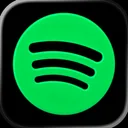 Spotify
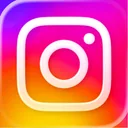 Instagram
 Facebook
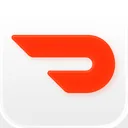 DoorDash
 Roblox
 WhatsApp Messenger
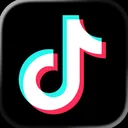 TikTok
 Lyft
 Uber
 Messenger
 X
 ChatGPT
 Microsoft Outlook
 Shazam
 Amazon Shopping
 Starbucks
 Google Drive
 Google Maps
 Netflix
 PayPal
 The Weather Channel
 Snapchat
 Pinterest
 Duolingo
 Candy Crush Saga
 Google Chrome
 Clash Royale
 Subway Surfers
 Discord
 Canva AI Photo & Video Editor
 Reddit
 Zoom Workplace
 Waze Navigation & Live Traffic
 Brawl Stars
 Clash of Clans
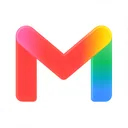 Gmail
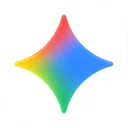 Google Gemini
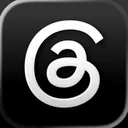 Threads
 Booking.com
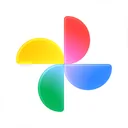 Google Photos
 Angry Birds 2
 AccuWeather
 Grok AI
 Microsoft Copilot
 BeReal
 CapCut
 Signal
No icons match those filters yet.
It's a gallery of real iOS app icons pulled from the App Store. I built it because I kept screenshotting icons I liked and losing them. There are 1,022 icons now, each with its own page.
Mostly app designers and indie developers who are working on an icon and want to see how other apps solved the same problem. It's also handy if you need a clean copy of a well-known app's icon for a mockup or a slide.
Everything here is a shipped icon from a real app, not a concept shot, so you see what actually made it onto people's home screens, along with the developer and category.
Yes. Every icon is tagged by dominant color, by style (flat, gradient, 3D, illustrated, lettermark, wordmark, symbol, mascot, minimal and outline) and by App Store category. There are also hand-picked collections like AI Assistants and Indie Darlings.
Each app page has a 1024px PNG of the icon plus its color palette with hex codes. The icons belong to their owners, so use them for reference, mockups and editorial work, not as your own branding.
Yes. The country filter searches the App Store in the US, China, Japan, the UK, South Korea and Taiwan.
Yes, free and no sign-up.